
Applications, Pipeline & Outreach Streamlined to Perfection.
The dedicated macOS workstation for IT freelancers, interim managers, and consultants. Manage your project pipeline, dual rates (onsite & remote), client contacts, and dossiers. Includes 1-click AI prompt generation for ChatGPT & Claude, automatic email import, and recruiter broadcasts. 100% local & privacy-first. Great for regular Job Applications too!
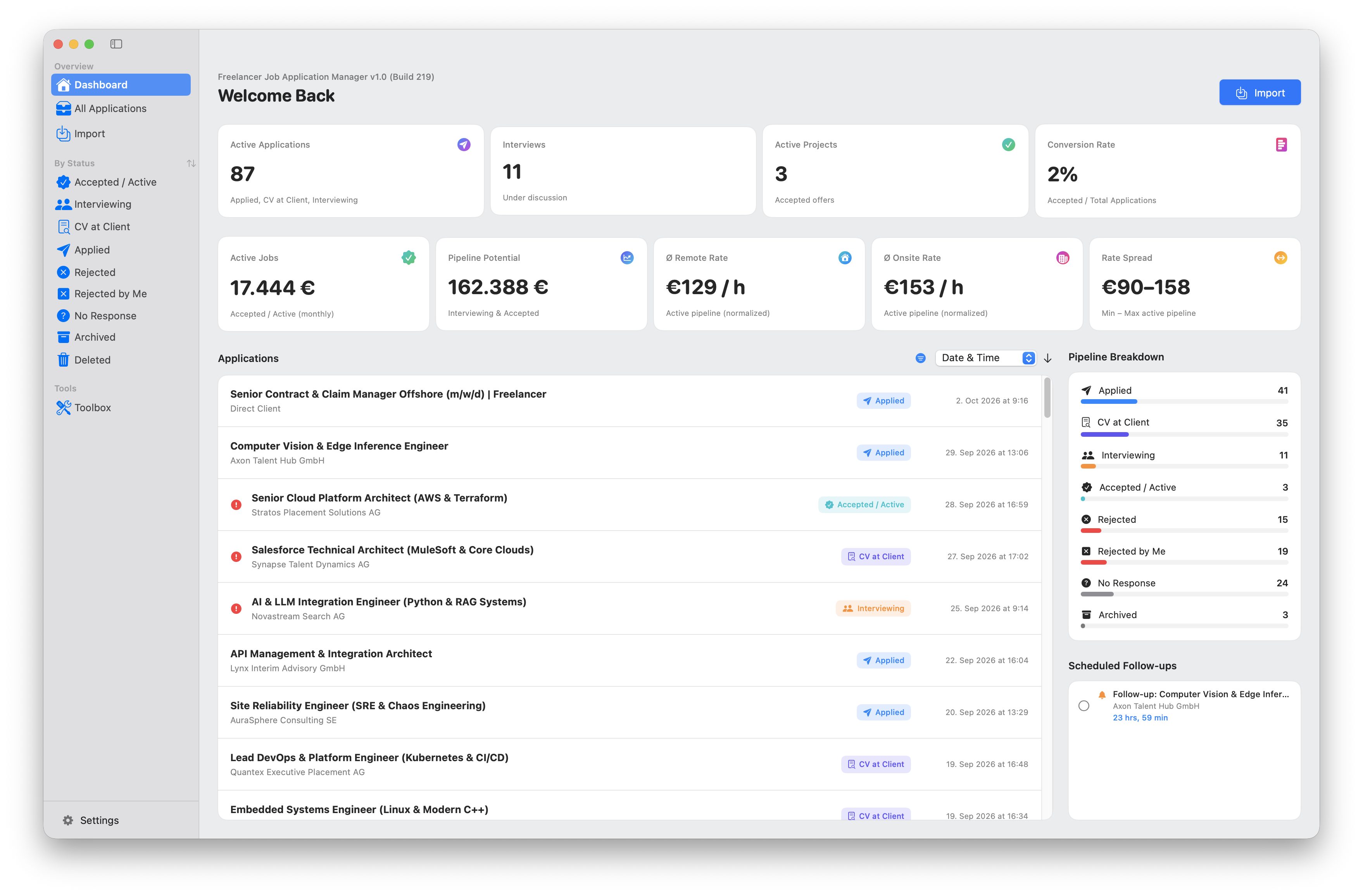
FJAM Dashboard Cockpit: Active leads, stage pipeline, conversion metrics, and weighted pipeline revenue.
Engineered for the Realities of Contracting
Not another sluggish generic CRM, but a high-speed command center tailored for demanding IT professionals.
Real-Time Pipeline Cockpit & Financial KPIs
Maintain total oversight over your outreach. FJAM visualizes every opportunity across structured lifecycle stages (New, CV at Client, Interview, Offered, Rejected, Accepted).
- Total and weighted pipeline volume based on contract duration and hourly/daily rates
- Conversion metrics: Lead-to-interview and interview-to-offer ratios
- Work-mode breakdown (remote vs. onsite) and multi-currency distribution
Dual Rates & Multi-Currency
Track separate onsite and remote rates as hourly, daily, or monthly values in EUR, USD, CHF, or GBP.
- Freelance vs. temporary employment (ANÜ) support
- Calculation of expenses, travel allowances & per diems
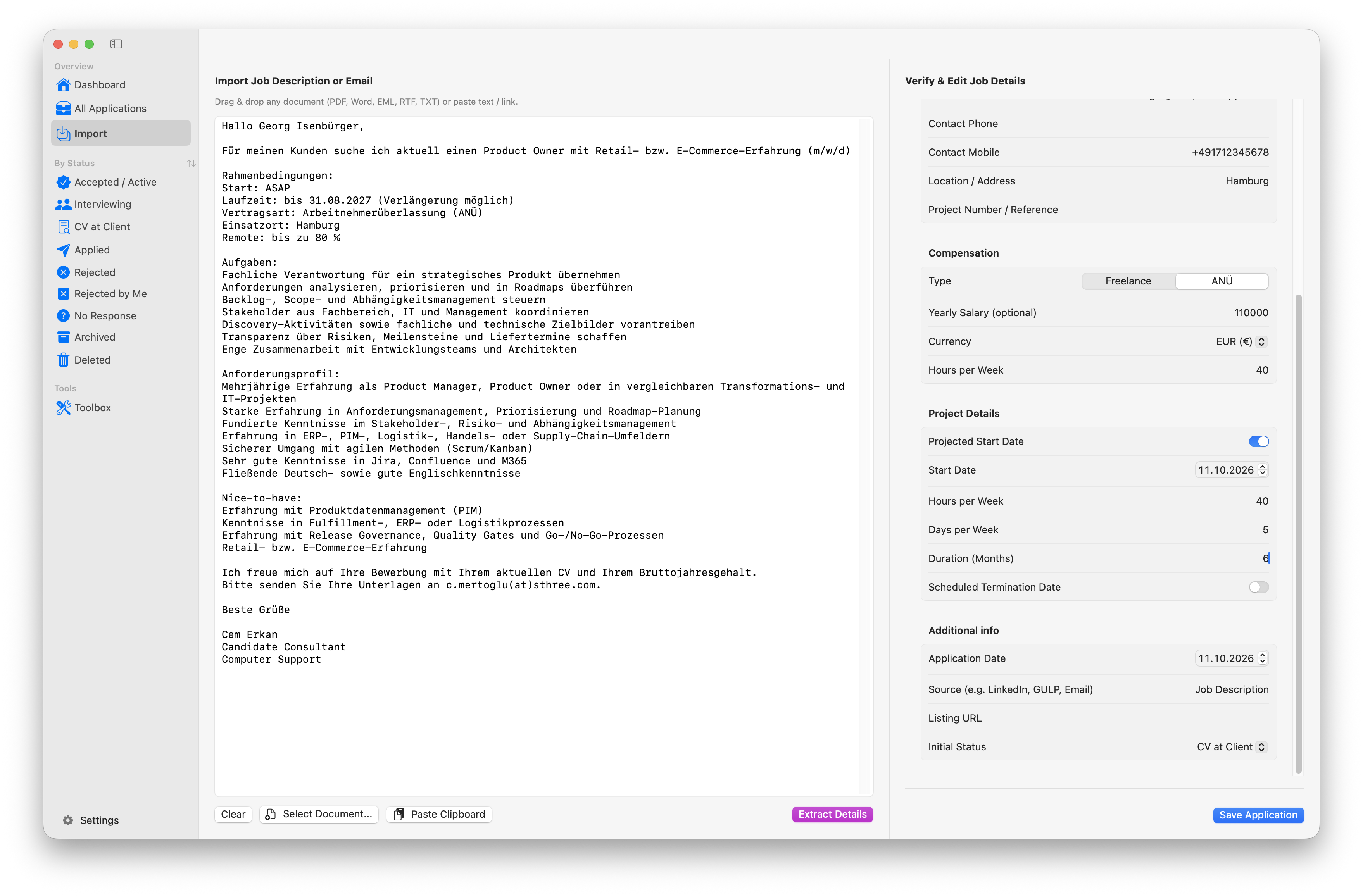
Smart Email & Document Import
Drag and drop .eml email files or project specifications directly into FJAM. The integrated parser extracts all relevant metadata instantly.
- Extraction of recruiter contacts, roles, rates & start dates
- Clean separation of job descriptions from communication notes
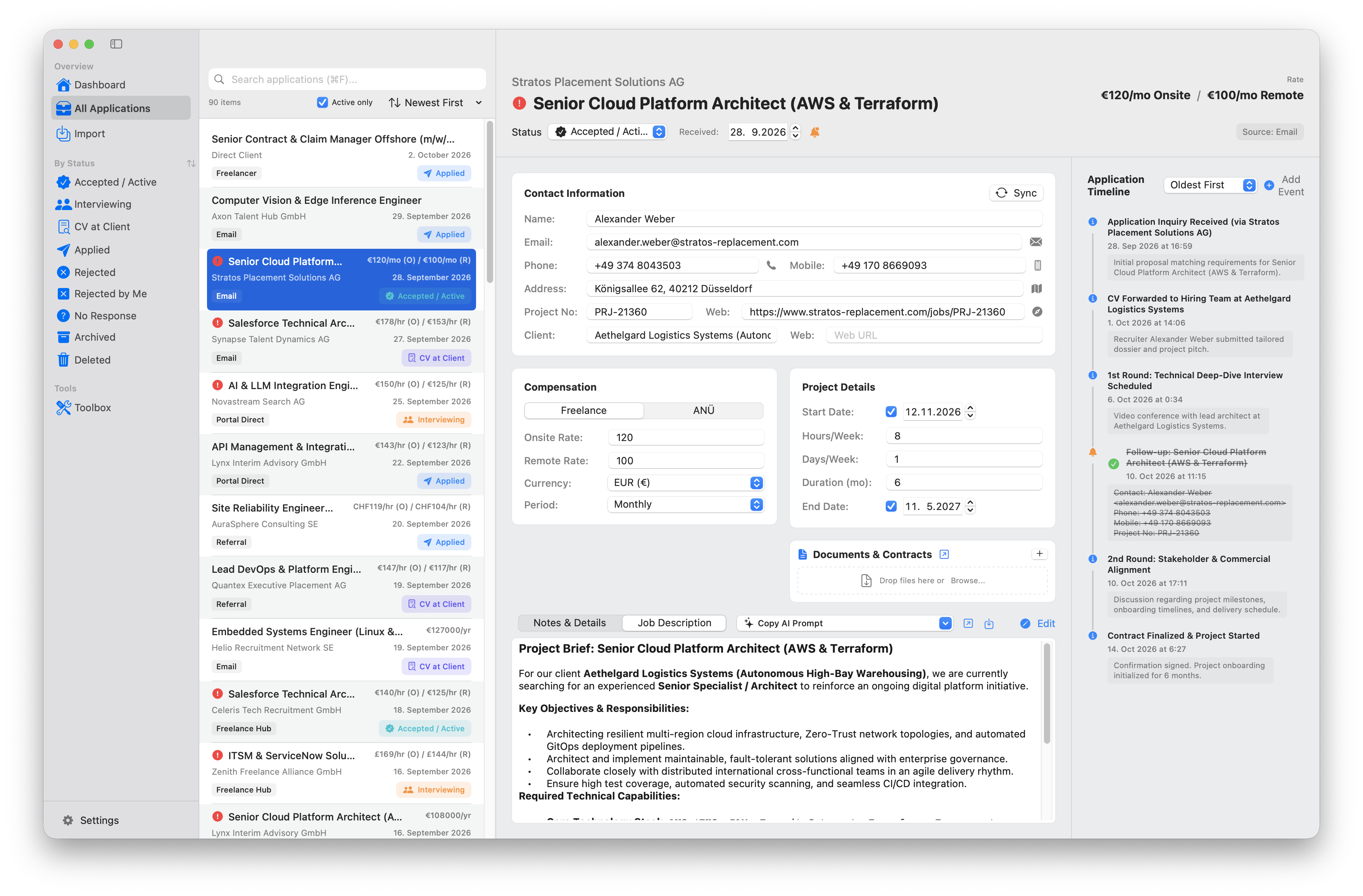
1-Click AI Prompt Studio (ChatGPT, Claude, Gemini)
Generate highly authentic, tailored application pitches in seconds. FJAM fuses the real job requirements with your proven career achievements from your CV into a prompt.
- Choose between full formal cover letter or punchy short pitch ("Why I'm the Fit")
- Instant 1-click clipboard copy with desktop toast confirmation
- Customize and manage custom prompt templates
Multi-CV & Profile Manager
Maintain specialized CV profiles (e.g. Cloud Architect, Tech Lead, DevOps). Automatic background full-text extraction from PDF, DOCX, and Pages files.
- Secure local storage in your designated workspace folder
- Quick profile switching per job application
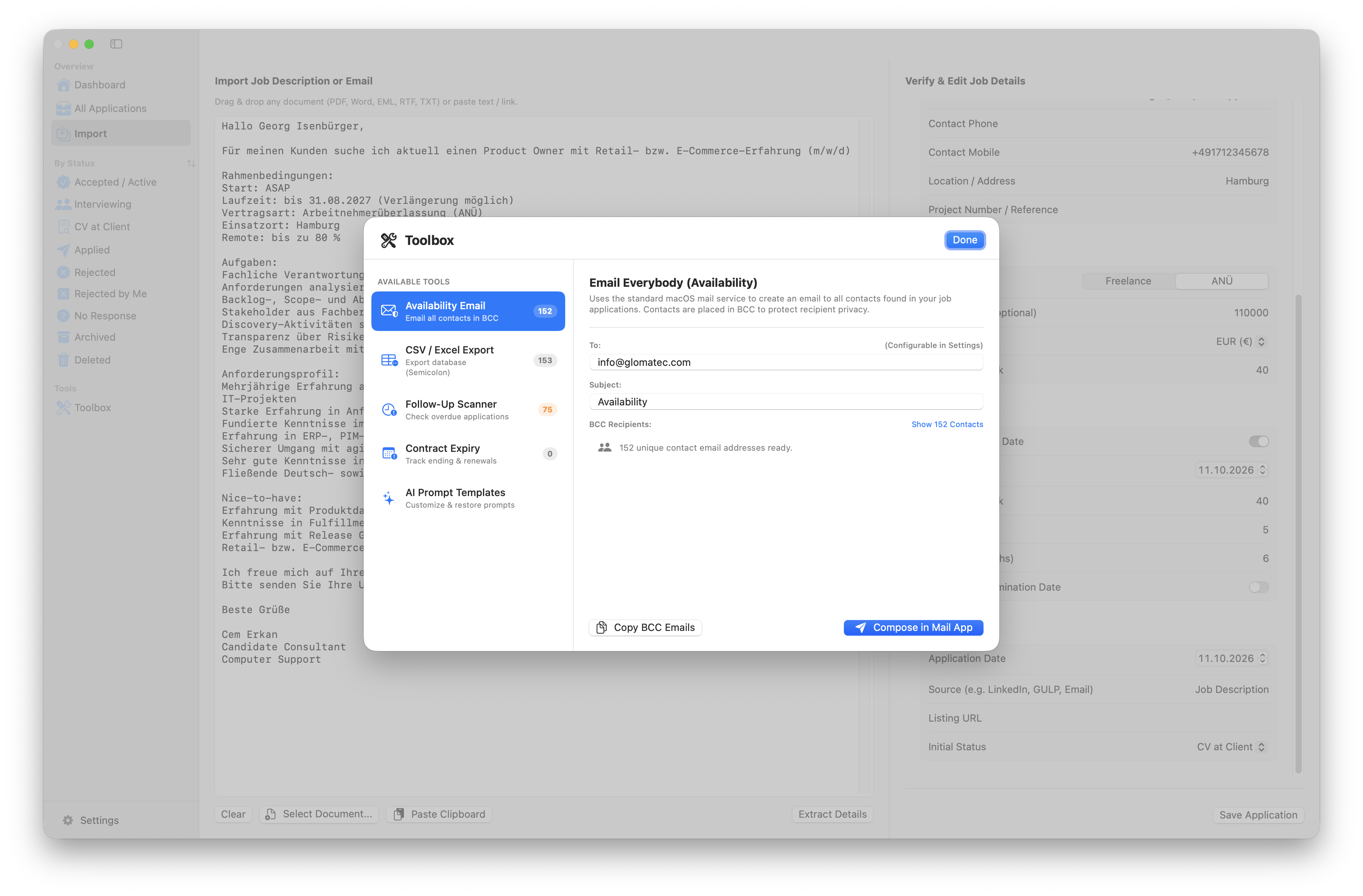
Recruiter Availability Broadcast
Current project ending? Activate your recruiter network with targeted availability updates and pre-attached profiles in your native email client.
- Available date, target focus roles & CV attachment
- Seamless handover to your default macOS mail client
100% Local Privacy & Deep macOS Integration
Your confidential rates, clients, and project notes remain strictly yours. FJAM uses transparent local JSON files. Zero cloud dependencies, zero tracking, no subscription trap.
- 1-click contact export directly into Apple Contacts
- Automated follow-up scheduling in Apple Reminders (e.g. follow up in 3 days)
- Interview scheduling directly synced to macOS Calendar
From New Inquiry to Dispatched Pitch in 2 Minutes
Establish a repeatable, professional 5-step standard for your freelance business development.
Import Inquiry
Drop .eml files via drag & drop. Roles, rates & contact information are parsed automatically.
Select CV Profile
Pick the best matching resume (e.g. Lead Developer vs. Cloud Architect) from your library.
Copy AI Prompt
1-click injects your real achievements into the prompt template and copies it to clipboard.
Generate Pitch
Paste into ChatGPT, Claude, or Gemini. The AI drafts an authentic, truthful cover letter.
Send & Follow Up
Open mail, paste pitch, attach CV. Set status to 'Applied' in FJAM and schedule a follow-up reminder.
User Interface Showcase
Built with native macOS design principles for high responsiveness and Retina clarity.
Dashboard: Real-Time Pipeline, KPIs & Financial Volume
Application Dossier with 1-Click AI Prompt Studio & Timeline
Drag & Drop Email (.eml) and Document Parser
Recruiter Broadcast: Targeted Availability Campaigns
CV Profiles with Background Full-Text Indexing from PDF & Word
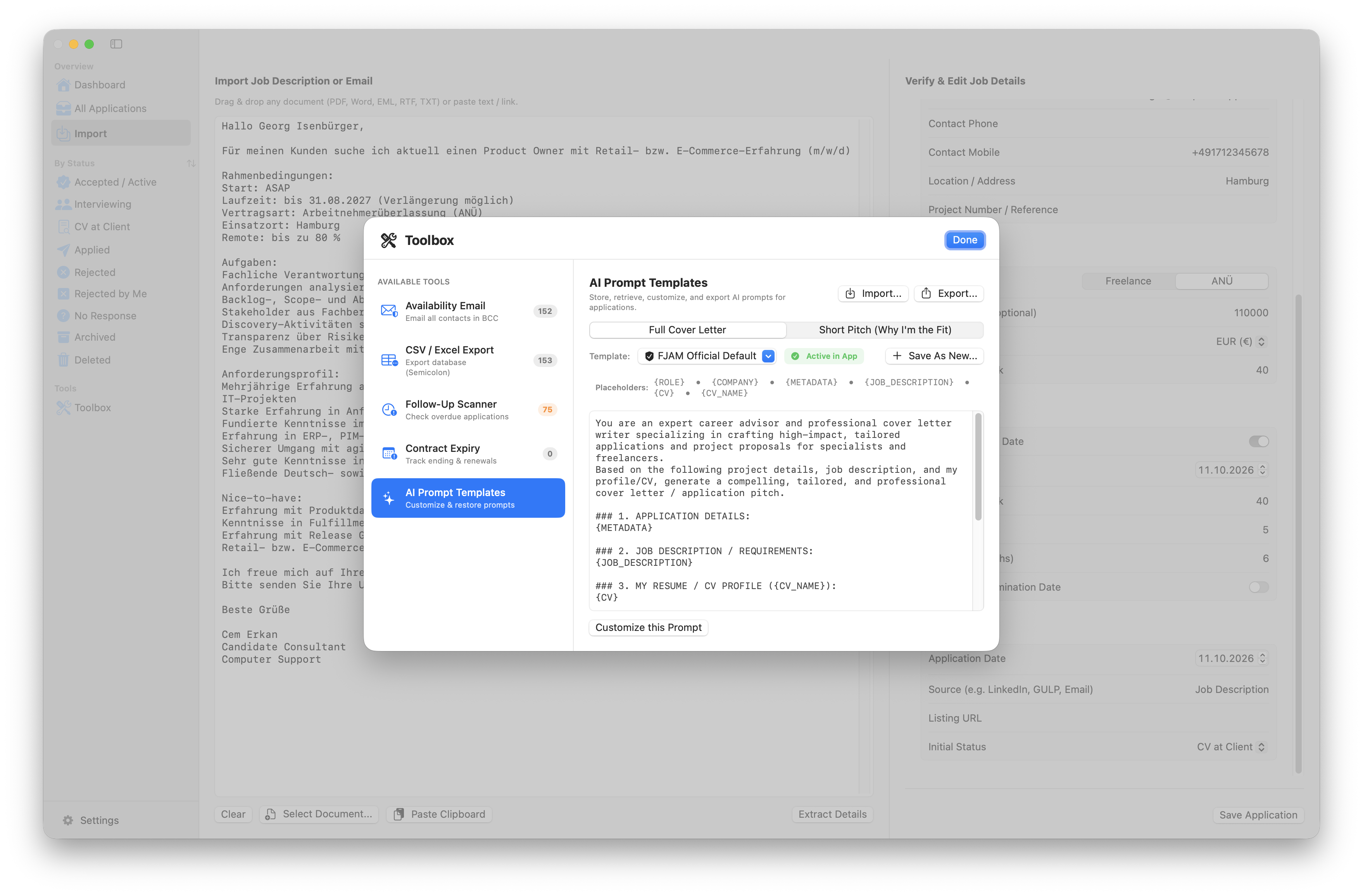
Integrated Toolbox: Rate, Currency & Per-Diem Calculators
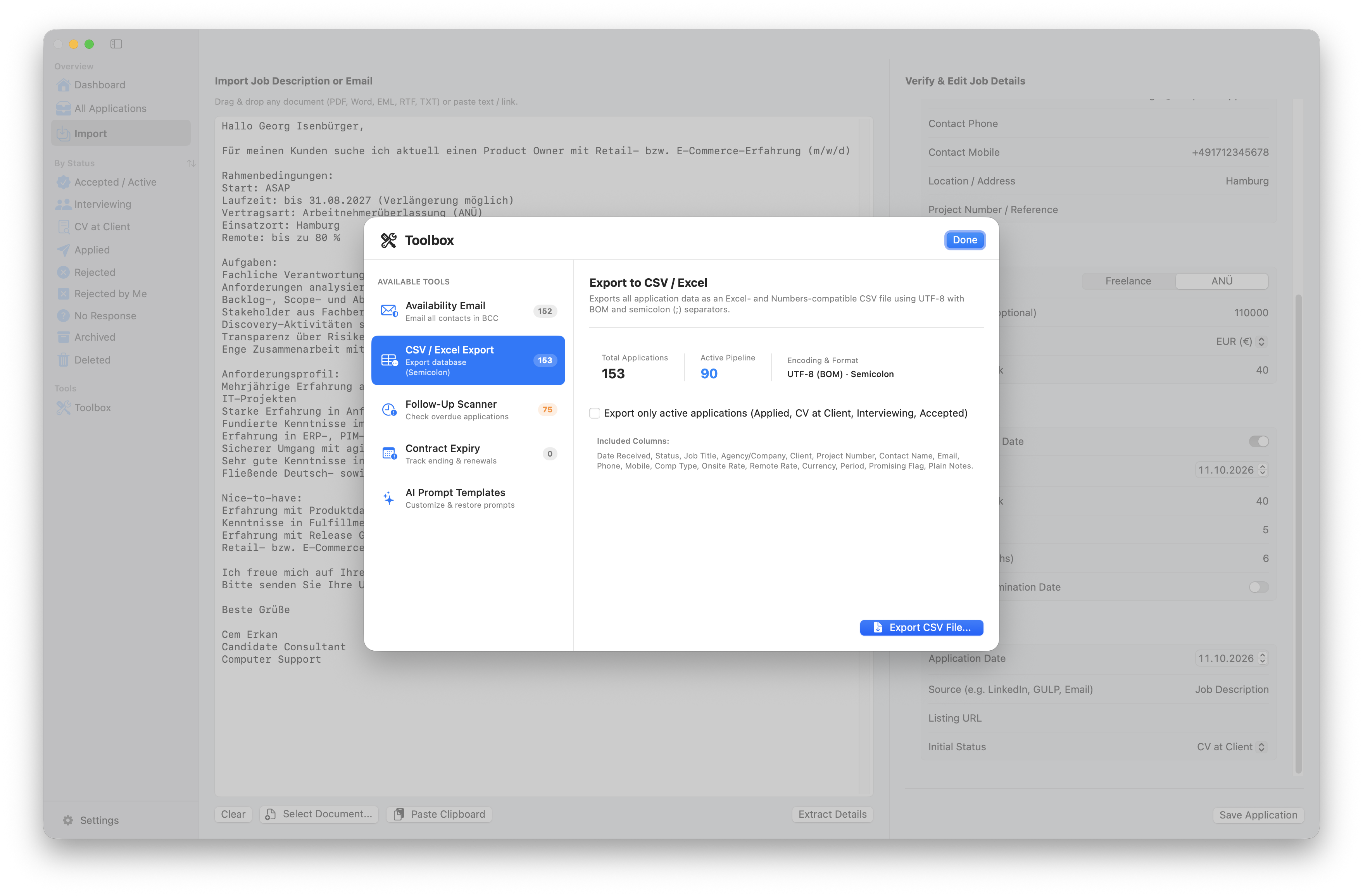
System Requirements & Architecture
Engineered for maximum speed and native macOS ecosystem synergy.
Operating System
macOS 14.0 (Sonoma) or macOS 15.0 (Sequoia)
Fully compatible with future macOS releases
Processor Architecture
Universal 2 (Apple Silicon & Intel x86_64)
Native optimization for Apple M1, M2, M3, M4 Max/Pro
Supported Currencies
EUR (€), USD ($), CHF (Fr.), GBP (£)
Automated hourly to daily & monthly rate converter
Supported CV Formats
PDF (.pdf), Word (.docx), Pages & Text (.txt)
Local full-text indexing without cloud processing
macOS Integrations
Apple Contacts, Calendar, Reminders, Mail
Deep integration via native macOS system APIs
Data Storage
100% Local (Transparent JSON / Workspace Directory)
Full GDPR compliance, fully portable & version-controllable
FJAM FAQ
Everything you need to know regarding features, privacy, and licensing.